
Valid Loker
From a vacancy flyer to a job worth finding.
Live at validloker.com
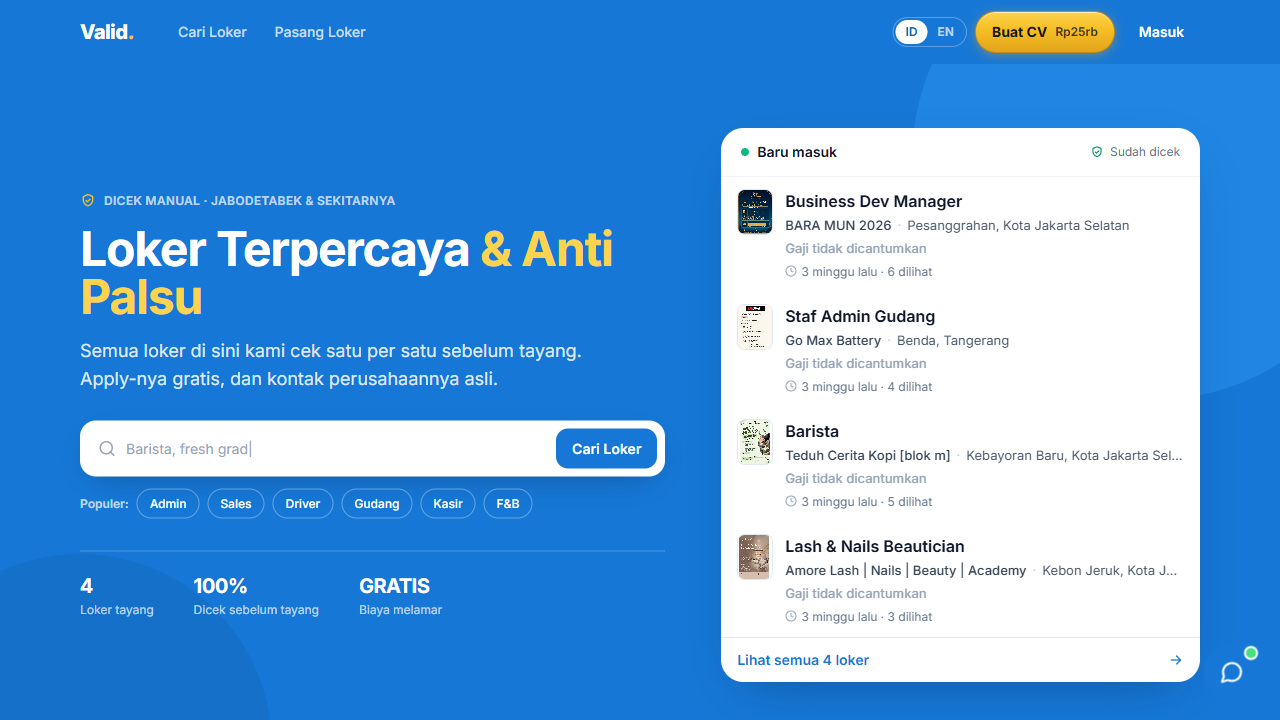 Verified vacancies01 / 03
Choose a screen to see the product’s features and main flow.
Verified vacancies
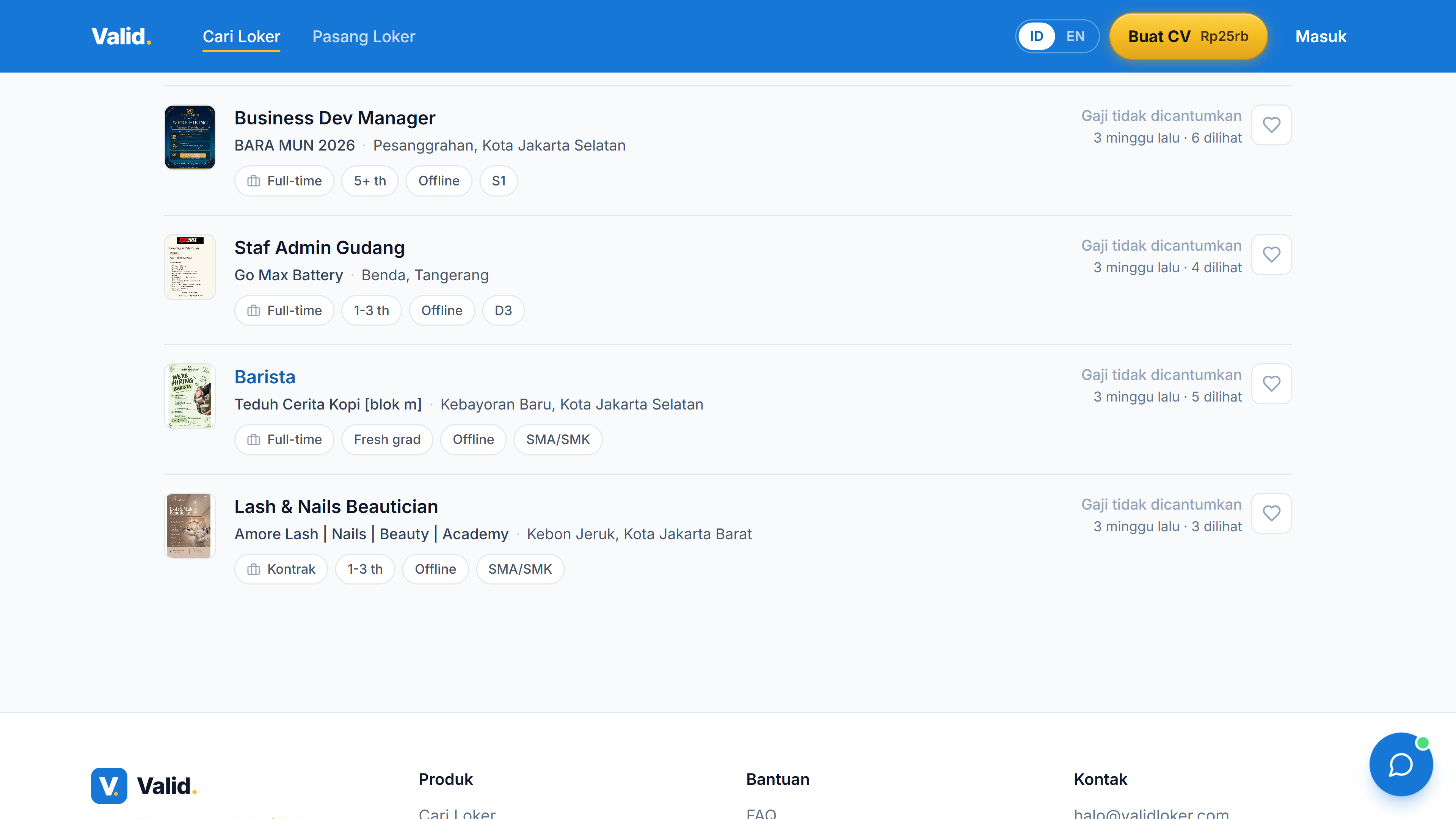
The active product now displays the current published vacancies, rather than the archived flyer catalog.
Screenshots from the live product
- The problem
- Vacancy flyers are difficult to search and compare.
- What I built
- Verified listings with structured requirements, location filters, original flyers, and CV tools.
- What it enables
- Applicants can find relevant vacancies and read the requirements next to the original flyer.
- Current verified vacancies & filters
- Original flyers & structured job details
- ATS CV builder & Mimi assistant
Designed and built by Alexanders Schwartzmann · start to finish
- Job-search UX & frontend
- Structured vacancy data
- Accounts & access rules
- CV tools & Mimi integration
I can build one around how your business works.
I designed and built this project from start to finish.
Alexanders Schwartzmann
From the product idea and design to the code behind the features below.
- Job-search UX & frontend
- Structured vacancy data
- Accounts & access rules
- CV tools & Mimi integration
How the main flow works
- 01
Original vacancy material
- 02
Structured published listing
- 03
Search, location & job filters
- 04
Job detail & applicant access
Proof of the work
What was built, how it works, and why it was built that way.
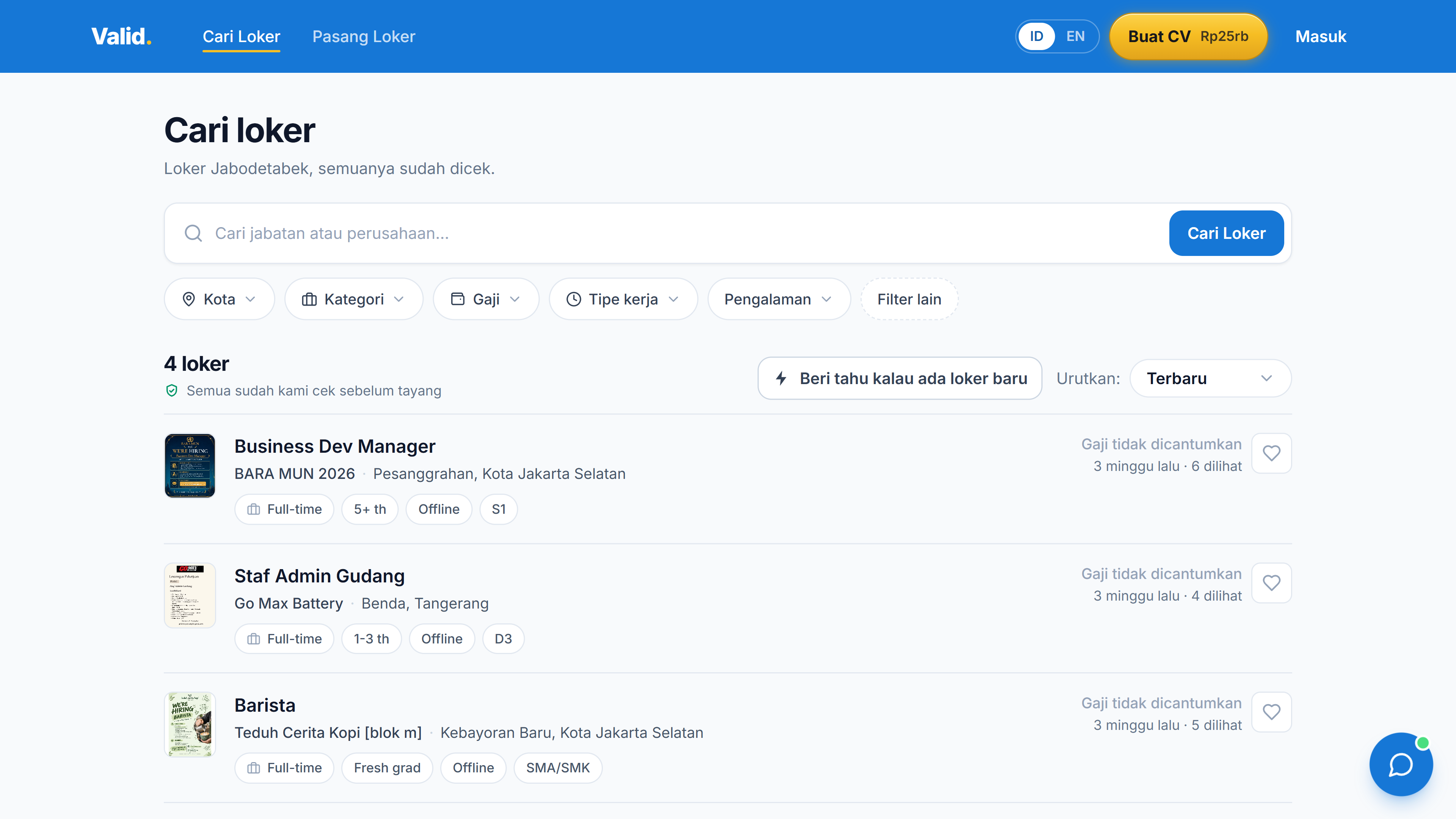
Searchable vacancies
Published vacancies can be narrowed by city, category, salary, experience, and work type.
Requirements become structured fields rather than being available only as text inside an image.
The original source stays visible
The detail view places the original flyer beside the structured requirements and company information.
Company contacts are gated behind registration, while the vacancy itself remains discoverable.
Screens from the live site with real published vacancies. No application was sent and no CV was created.
Screenshots from the live product ·
The problem
Job seekers need current vacancies, a trustworthy original source, and enough structured information to decide whether a job fits.
Feature highlights
- Current verified vacancies & filters
- Original flyers & structured job details
- ATS CV builder & Mimi assistant
Current implementation
The current TanStack Start product combines published listings with city, category, salary, experience, and work-type filters. Each detail retains the original flyer. Company contacts are gated behind registration. The product also includes CV creation and the Mimi help assistant; vision extraction supports the listing workflow.
Explore the real product
Captures come from the active website, including its current vacancies and a Barista detail. The retired React frontend and archived recruitment flyers are not used as the current product preview.
Masalahnya
Pencari kerja membutuhkan lowongan terkini, sumber asli yang terpercaya, dan informasi terstruktur untuk menilai kecocokan pekerjaan.
Fitur pilihan
- Loker aktif tervalidasi & filter
- Flyer asli & detail terstruktur
- Pembuat CV ATS & asisten Mimi
Implementasi sekarang
Produk TanStack Start sekarang menggabungkan loker tayang dengan filter kota, kategori, gaji, pengalaman, dan tipe kerja. Detail mempertahankan flyer asli. Kontak perusahaan dibatasi untuk akun terdaftar. Produk juga memiliki pembuatan CV dan asisten bantuan Mimi; ekstraksi vision mendukung alur penyusunan loker.
Jelajahi produk asli
Screenshot berasal dari website aktif, termasuk loker yang sekarang tayang dan detail Barista. Frontend React lama dan flyer rekrutmen arsip tidak dipakai sebagai preview produk terkini.